
Business technology resource
Document Control for Small Construction and Engineering Firms
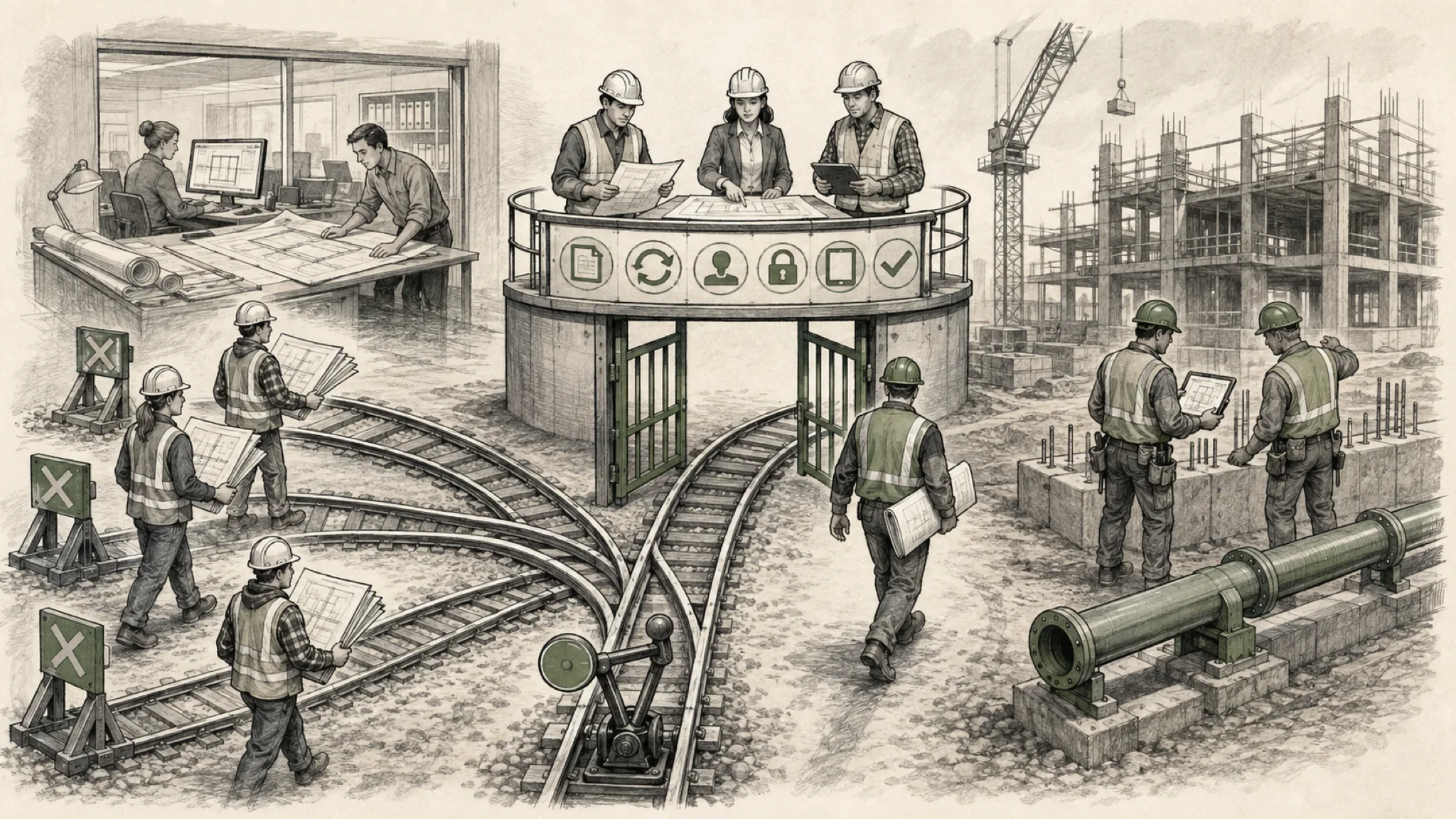
Document control works when every project participant can identify the current approved information, the authoritative location, the required workflow, and the record that proves what happened.
Short answer
A small construction or engineering firm needs a project information standard that distinguishes working content from issued, approved, contractual, and archived records. The standard should define authoritative systems, naming, metadata, versions, transmittals, access, external sharing, mobile use, approvals, changes, closeout, retention, and ownership. Technology should reinforce the standard rather than substitute for it.
Microsoft 365 may support internal collaboration and controlled document spaces, while Autodesk, Procore, or another project platform may own formal project workflows. Email, local folders, personal cloud storage, and field devices often create uncontrolled copies. The correct design depends on contract requirements, project participants, platform capabilities, and the firm’s ability to operate the process consistently.
Frame the decision around the operating condition
Start with the work the organization must perform, the information it depends on, and the consequence when a handoff fails. Document the current condition before prescribing a replacement, integration, automation, control, or subscription.
Leadership needs evidence of reliable use, controlled access, accountable ownership, recoverable information, supportable change, and a path for exceptions. Use these decision factors:
- The project record types, contractual meaning, approval authority, issue status, revision rules, and retention requirements.
- Authoritative locations for working, shared, submitted, reviewed, approved, issued, superseded, and archived information.
- Naming, metadata, identifiers, disciplines, packages, permissions, external participants, and project lifecycle.
- Office, field, mobile, low-connectivity, large-file, model, print, markup, photo, and scan requirements.
- Transmittals, submittals, requests, changes, signatures, notifications, acknowledgments, and exception handling.
- Closeout, handover, search, legal hold, export, client requirements, provider responsibilities, and recovery.
Make responsibilities explicit
Industry platforms depend on business owners, employees, vendors, Microsoft 365, devices, networks, identity, integrations, and recovery services. Product contracts do not necessarily assign every operating responsibility.
Before making changes, name who approves the outcome, performs the work, and sustains it. Shared participation is normal; accountability still needs a named owner.
| Role | Primary responsibility | Evidence to retain |
|---|---|---|
| Project leadership | Approve the project information plan, contractual interpretations, authority, and exceptions | Project standard, responsibility matrix, decisions, and acceptance record |
| Document control or project administration | Operate naming, status, issue, transmittal, access, quality, and closeout processes | Registers, workflow records, access reviews, and closeout index |
| Project participants | Use approved locations and complete required reviews, acknowledgments, changes, and records | Version history, approvals, transmittals, markups, and field evidence |
| Technology and platform owners | Configure workspaces, identity, sharing, integrations, backup, support, and lifecycle | Configuration, permissions, interface logs, support, and recovery evidence |
Recognize warning signs before they become urgent
Treat these signals as questions to investigate, not proof that a product or provider failed. Preserve examples, dates, affected workflows, and business consequences so the decision rests on evidence.
- Teams use email attachments or local folders because the approved platform is difficult to access in the field.
- File names contain revision clues, but the system cannot reliably show current approval or issue status.
- External parties receive broad workspace access when a controlled package or transmittal would be sufficient.
- Drawings, models, photos, markups, approvals, and change records cannot be connected through consistent identifiers.
- Project closeout begins late and depends on reconstructing records from individual mailboxes and devices.
- The firm cannot explain what its cloud platform protects, retains, exports, restores, or removes after project completion.
What to verify before buying or changing technology
Verify requirements, current capability, ownership, and transition consequences before selecting a tool. Ask vendors to distinguish included features, licensed modules, supported integrations, services, and customer responsibilities.
Test representative workflows and exceptions. Record the evidence, open assumptions, acceptance owner, and post-launch measures. Leadership should answer these questions:
- Which project records carry contractual, professional, safety, quality, financial, or client significance?
- How does a participant identify the current approved version and recognize a superseded or working copy?
- Which platform owns each workflow, and where are decisions, approvals, acknowledgments, and exceptions recorded?
- Can field users access and create required information under representative device and connectivity conditions?
- How are external participants invited, limited, reviewed, removed, and included in project closeout?
- Can the firm export a complete, understandable project record and recover priority work when a service fails?
Use a bounded improvement sequence
Evidence may support retaining the current system, improving configuration, clarifying ownership, connecting a handoff, adding a recovery control, or replacing only a justified gap. Sequence the smallest useful change.
Define success before implementation and schedule a review. Show what changed, what remains unresolved, who operates the result, and when the decision returns to leadership.
| Stage | Practical action | Decision produced |
|---|---|---|
| Define | Classify records, lifecycle states, authority, participants, contract needs, and closeout outcomes | Approve the project information standard |
| Map | Follow representative documents and changes across office, field, platforms, email, and external teams | Expose duplicate and uncontrolled paths |
| Configure | Align workspaces, metadata, permissions, workflows, mobile access, templates, and integrations | Launch a bounded project pilot |
| Close | Test retrieval, handover, access removal, export, archival, and lessons learned | Accept the record and improve the standard |
Related next steps
Related articles
Continue exploring this topic
Sources and further reading
- Microsoft Learn — SharePoint Information Architecture
- Microsoft Learn — Plan Sharing and Collaboration Options
- Carolina Technology Pros — Information Architecture Assessment
This resource provides general business-technology guidance. Engagement scope, evidence, and recommendations depend on the organization’s actual condition.