
Business technology resource
Before Putting Client Files in Protégé Vault or Workrooms
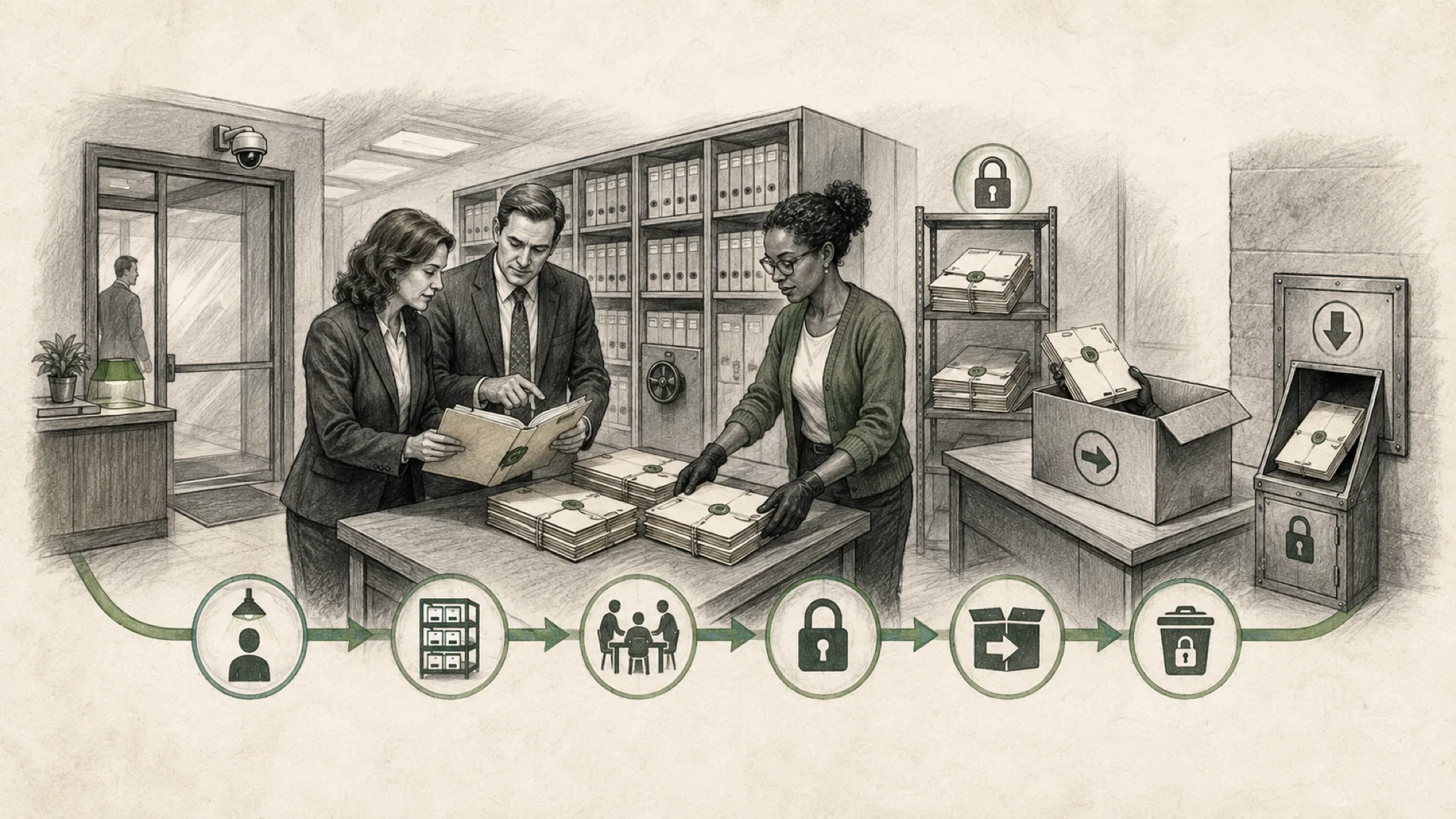
Before client files enter Protégé Vault or Workrooms, a firm should define matter eligibility and verify the complete lifecycle from upload and collaboration through retention, hold, export, deletion, and incident response.
Secure storage is only the beginning
LexisNexis describes Vault as a place to upload, store, and analyze document collections and Workrooms as shared spaces with permissions and activity history. Its current product pages also describe encryption, privacy controls, and a policy against using customer data to train public models or improve performance for other customers.
Those vendor statements are relevant, but they do not decide whether a particular client file belongs in a particular workspace. The firm still needs matter-level rules, contract evidence, tested configuration, accountable administration, and a defensible lifecycle. If a public page or available agreement does not document a required control, treat it as an open question, not as an implied feature.
Decide matter and file eligibility first
Do not begin with a bulk upload. Create an eligibility matrix that distinguishes public, fictional, internal administrative, client-provided, attorney work product, privileged, personal, regulated, sealed, export-controlled, investigation, litigation-hold, and contract-restricted information.
For each class, identify the client instruction, engagement term, protective order, court rule, insurance requirement, privacy obligation, professional duty, and firm policy that may affect processing. The result may permit a controlled use, require client or counsel review, limit the file type, prohibit external sharing, or exclude the matter entirely.
Record who can approve an exception and what evidence must exist before upload. Technology configuration cannot resolve a legal or ethical question about a matter’s eligibility.
Verify identity, least privilege, and guest behavior
Define who may create a Vault or Workroom, invite a participant, change a role, upload, retrieve, analyze, export, share, or delete. Test those actions with realistic identities and denied cases. Separate ordinary members, matter owners, firm administrators, provider administrators, guests, and support personnel.
- Require firm-managed identity, multifactor authentication, timely offboarding, and periodic access review where supported and appropriate.
- Confirm that matter teams and ethical walls are enforced in the actual workspace, search, activity, notification, export, and support paths.
- If guests are allowed, test invitation approval, domain restrictions, expiration, reauthentication, forwarding, download, reshare, and removal.
- Determine whether an administrator can discover private workspaces and recover ownership without obtaining unnecessary content access.
- Test whether removed users retain downloads, generated outputs, cached results, email notifications, or links that remain usable.
Map retention, deletion, hold, and exit
The public pages reviewed describe retention and deletion controls at a general level, but they do not by themselves establish the exact schedule, legal-hold interaction, backup disposition, or termination behavior for the firm’s contracted Vault and Workrooms configuration. Request the applicable agreement, service description, administrative documentation, and test evidence.
The lifecycle map should answer:
- What starts retention: upload, last activity, matter closure, workspace closure, user deletion, contract termination, or another event?
- Can the firm set different schedules by workspace, matter, file class, or jurisdiction? Who can change them, and is the change logged?
- What does delete mean for active storage, versions, indexes, generated outputs, recycle areas, backups, provider logs, and downstream exports?
- Can deletion be suspended by a legal hold or preservation instruction? Which system owns the hold, and how is release authorized?
- Can the firm export source files, metadata, permissions, activity, prompts, outputs, and configuration in a usable format before exit?
- What remains after termination, for how long, for what purpose, and with what certification or evidence of disposition?
Test DLP, eDiscovery, encryption, and audit evidence
Determine which firm controls can see and govern the data once it enters the service. Test sensitivity labels, data-loss prevention rules, malware handling, file restrictions, download controls, and alerts where the contracted path supports them. If a firm tool cannot inspect the service, identify the provider evidence or compensating review that will be used.
Ask how encryption applies in transit and at rest, how keys are managed, whether any customer-managed option exists, and where temporary processing, indexes, previews, and backups reside. Avoid inferring certification scope from a logo or a statement about another product. Obtain the current report, scope, exclusions, subservice organizations, and bridge evidence required by the firm’s risk process.
For eDiscovery and audit, define the events needed for access review, incident investigation, client inquiry, and preservation. Test whether the firm can export who created, viewed, searched, analyzed, downloaded, shared, changed, or deleted a file or workspace, with useful timestamps and identifiers. Confirm whether prompts, outputs, versions, permission changes, guest activity, administrator access, and support access are included.
Prepare the incident and recovery path
A lifecycle includes abnormal events. Establish who the firm contacts, response times, notification terms, evidence preservation, containment options, and the roles of LexisNexis, the firm’s technology provider, counsel, insurer, and client decision-makers. Test account suspension, guest revocation, workspace isolation, export, and evidence collection before an incident.
Also test accidental deletion, corrupted or unsupported files, unavailable service, failed upload, incomplete analysis, and a departed workspace owner. Decide whether the original DMS or another approved repository remains the authoritative record and whether Vault or Workrooms is a processing copy, collaboration record, or system of record. Backups and recovery expectations must match that decision.
Use a controlled admission checklist
Before the first eligible client file enters the service, require a signed or recorded decision that identifies the matter, file class, purpose, product surface, owner, permitted users, guest rule, source system, authoritative copy, retention schedule, hold status, review gate, export path, incident contact, and evidence reviewed.
Begin with fictional, public, sanitized, or explicitly approved material. Test the full lifecycle, including disposal and export, not only the useful analysis. Expand to another file class or matter only when its distinct obligations and failure consequences have been reviewed.
Related next steps
Related articles
Continue exploring this topic
Sources and further reading
- LexisNexis: Lexis+ with Protégé
- LexisNexis: Protégé product family
- LexisNexis: Legal AI integrations
- LexisNexis: DMS integration
- LexisNexis: Protégé General AI
- American Bar Association: Formal Opinion 512 overview
This resource provides general business-technology guidance. Engagement scope, evidence, and recommendations depend on the organization’s actual condition.